SmartHandoff: AI-Powered Figma-to-React Code Generation.
Bridging the gap between design and development with intelligent automation
Quick Facts
Role
Product Designer & Developer
Timeline
April 2025 - Present
Tools
Figma, React, GPT-4 Vision API, Node.js, Tailwind CSS
Type
Proof of Concept
Design handoff is broken at times. Designers spend hours creating detailed specs. Developers spend more hours interpreting them. Miscommunication leads to inconsistencies, and the back-and-forth slows everyone down. SmartHandoff tackles this head-on by using AI to automatically convert Figma designs into (actual) production-ready React components—complete with design tokens, accessibility features, and visual validation.
The Problem
The Traditional Handoff Process Is Inefficient
When designers hand off work to developers, the process typically involves:
Manual creation of redline specs and measurements
Separate documentation and tools for colors, typography, and spacing
Guesswork about component hierarchy and naming
Multiple revision cycles to align implementation with design
No automated way to verify visual accuracy
This creates bottlenecks, especially in fast-moving teams where design and engineering need to move in lockstep.
The cost?
Designers can spend too much of their time on handoff documentation
Developers lose momentum context-switching between design files and code
Inconsistencies slip through, creating design debt
The Solution
Intelligent, Automated Design-to-Code Conversion
SmartHandoff transforms Figma designs into production-ready React code in seconds. Here's what makes it different:
Smart Analysis The tool analyzes your Figma file structure, automatically detecting components, extracting design tokens, and identifying common UI patterns from popular libraries (shadcn/ui, Material UI, Chakra).
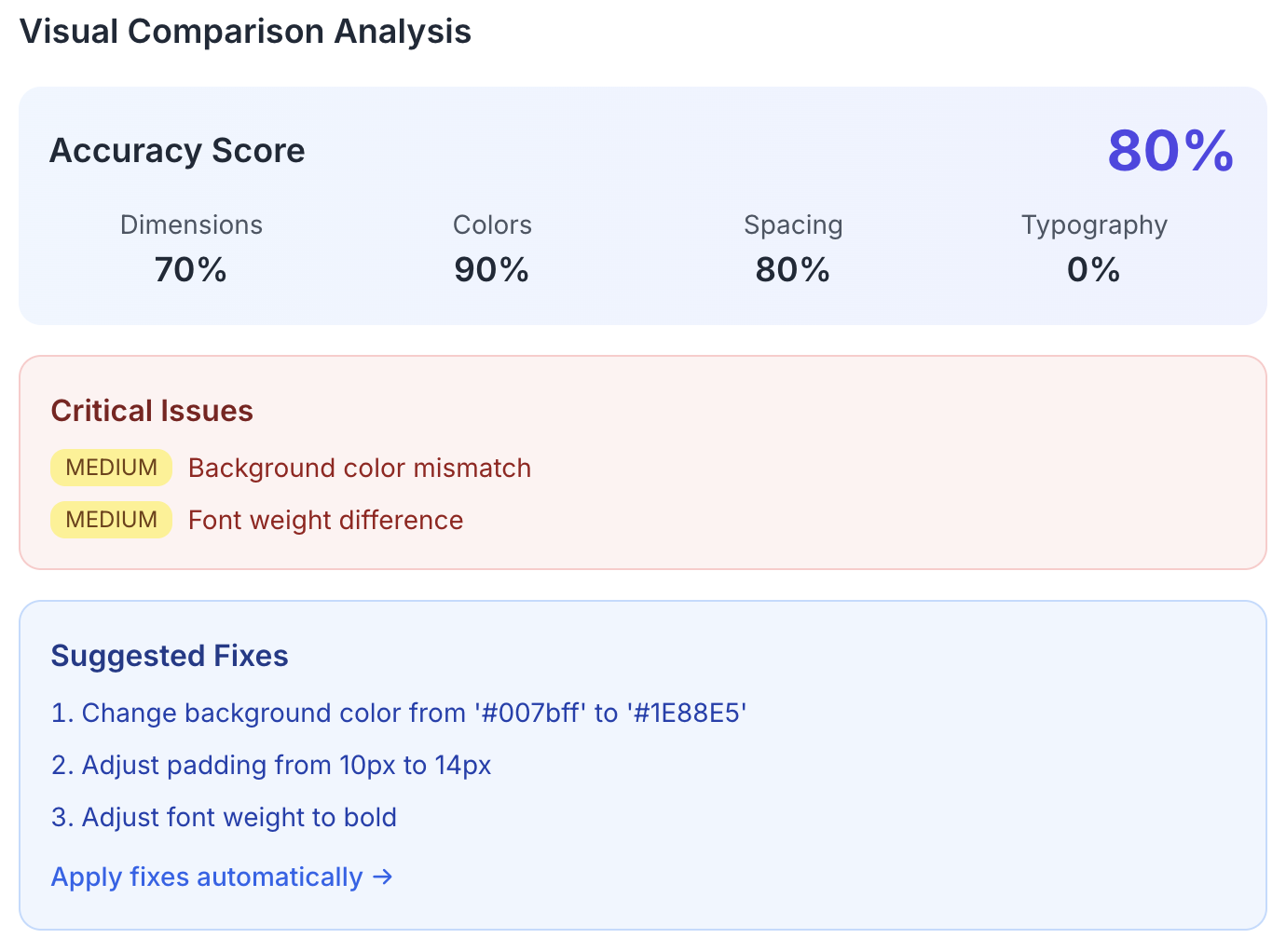
Visual Validation Using GPT-4 Vision, SmartHandoff compares the generated React component with the original Figma design, catching visual discrepancies before developers even see the code.
Production-Ready Output The generated code isn't a rough draft—it includes proper semantic HTML, ARIA labels, responsive design considerations, and even Storybook stories for immediate component testing.
Demo
Key Features
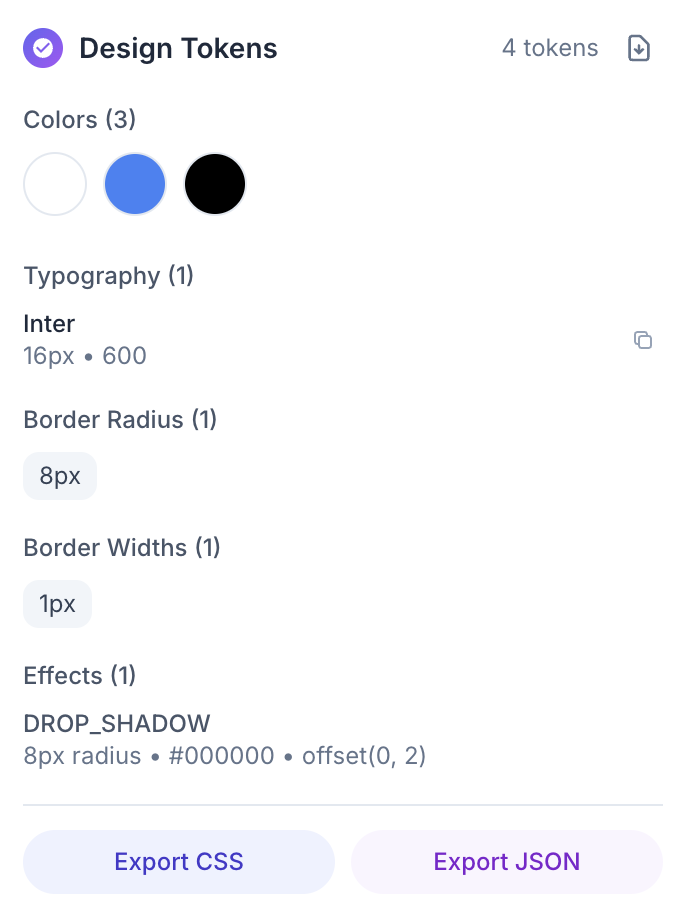
1. Automatic Design Token Extraction SmartHandoff scans your Figma file and extracts a complete design token library—colors, typography scales, spacing values, and border radii. These tokens are formatted as CSS variables or Tailwind config, ready to drop into your codebase.
2. Component Library Detection The AI recognizes common UI patterns and maps them to components from popular libraries. Instead of building a button from scratch, it suggests using shadcn/ui Button or MUI Button when it detects the pattern.

3. GPT-4 Vision Validation After generating code, SmartHandoff renders the React component and uses GPT-4 Vision to compare it against the original Figma design. It flags spacing mismatches, color differences, and layout issues.
4. Accessibility-First Code Generation Every component includes proper semantic HTML, ARIA labels, keyboard navigation support, and color contrast validation. Accessibility isn't an afterthought—it's baked into the output.
<button
  className="btn-primary"
  aria-label="Submit form"
  role="button"
  tabIndex={0}
>
  Submit
</button>
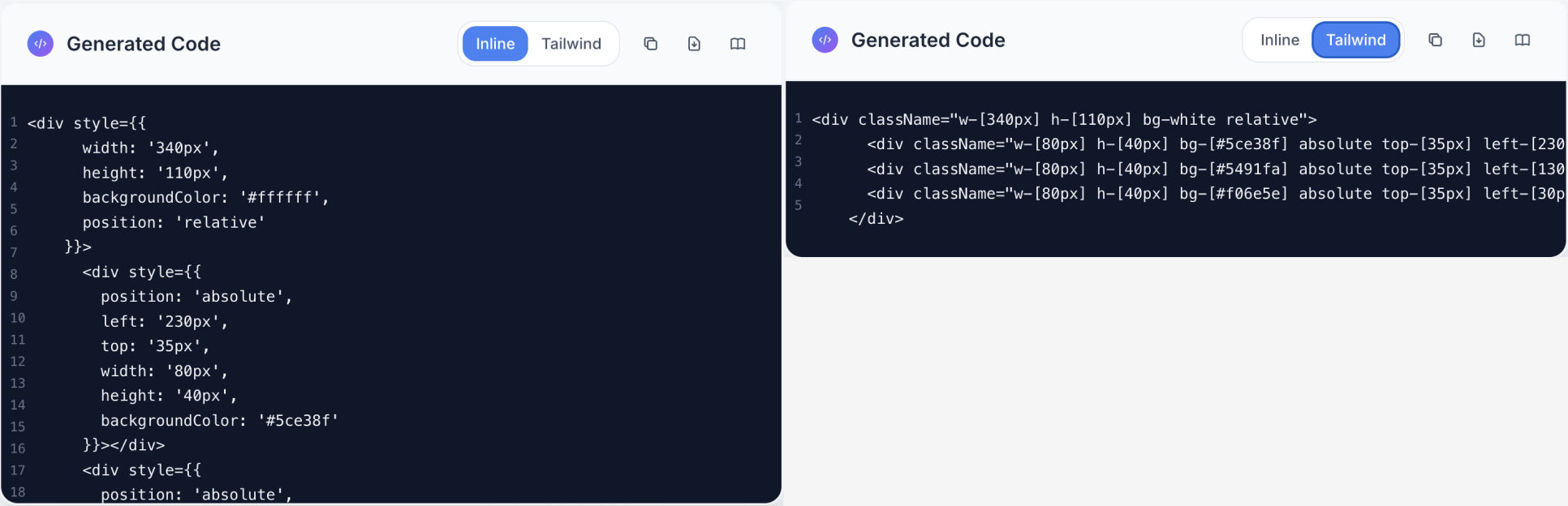
5. Tailwind CSS Toggle Switch between standard CSS and Tailwind utility classes with one click. Perfect for teams that prefer different styling approaches.
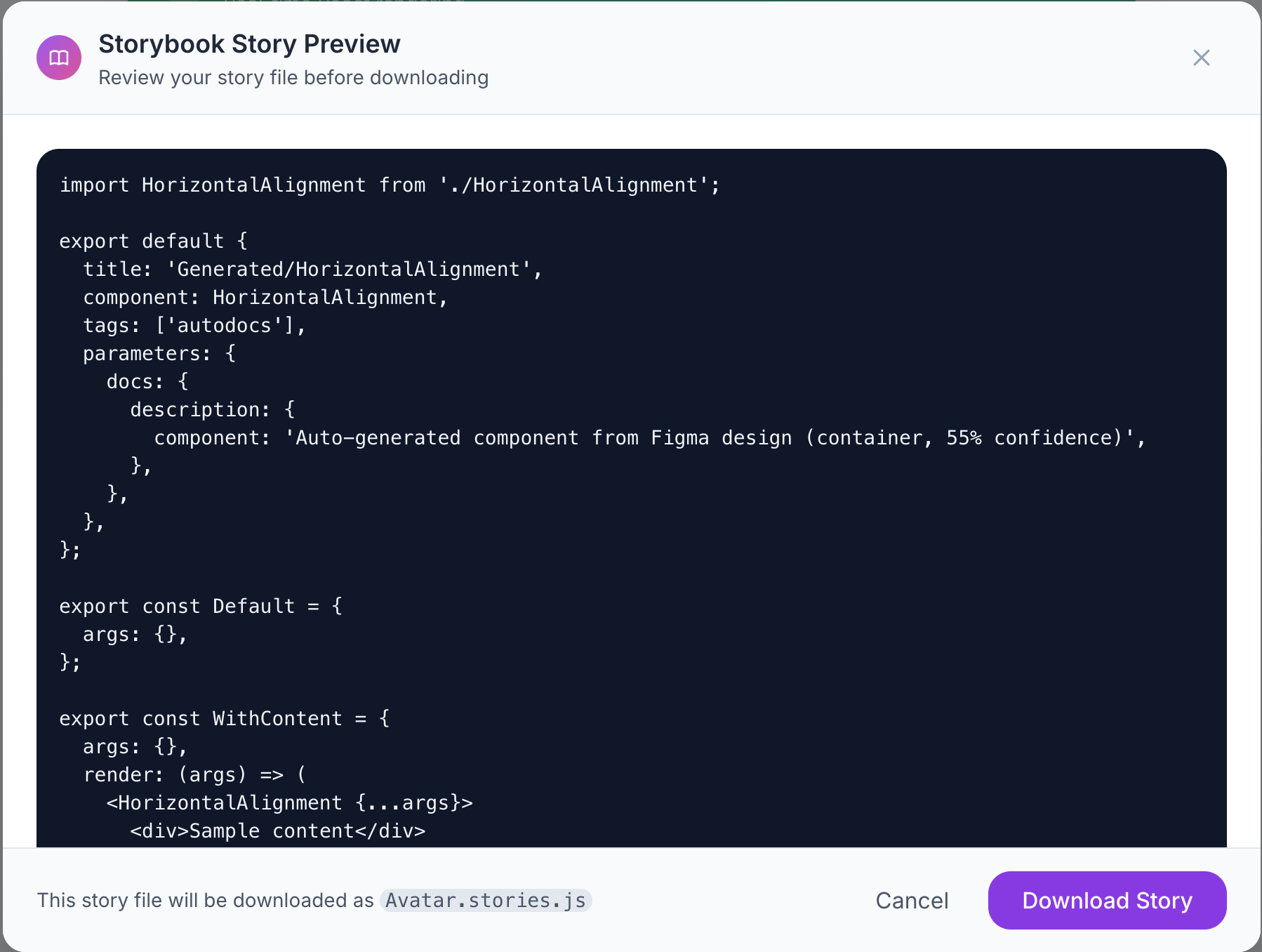
6. Storybook Story Generation SmartHandoff automatically creates Storybook .stories.js files with realistic props and variants, so designers and developers can immediately preview and test components in isolation.
How it Works
From Figma to Code in 5 Steps
Upload Figma File
Connect your Figma file via URL and Access Token. SmartHandoff handles the rest.AI Analysis
The system analyzes component structure, extracts design tokens, and identifies UI patterns.Code Generation
React components are generated with proper props, styling, and accessibility features.Visual Validation
GPT-4 Vision compares rendered output with Figma source, flagging discrepancies.Download & Integrate
Export clean, documented code ready for your repository.
Technical Deep Dive
Tech Stack
Frontend: React, Tailwind CSS
Backend: Node.js, Express
AI: OpenAI GPT-4 Vision API
Design Integration: Figma REST API
Testing: Storybook, Jest
Architecture Highlights
Modular component detection using pattern matching algorithms
Token extraction via Figma's style API with normalization layer
Visual diff engine using GPT-4 Vision for pixel-perfect validation
Configurable output templates for different component libraries
Impact & Results
Measurable Outcomes
While built as a proof of concept, SmartHandoff demonstrates significant potential:
70-80% reduction in design handoff time
Automated accessibility features reduce remediation costs
Design token standardization eliminates inconsistencies
Visual validation catches implementation errors pre-deployment
What Teams Gain:
Designers: Spend less time on specs, more time designing
Developers: Get clean, documented, accessible code immediately
Teams: Faster iteration cycles and fewer revision rounds
Reflections & Learning
What Worked Well
GPT-4 Vision proved remarkably accurate at catching visual inconsistencies
Design token extraction created a solid foundation for design systems
Component library detection reduced boilerplate code significantly
Challenges & Limitations
Complex nested components sometimes generated overly verbose code
API rate limits made batch processing slower than ideal
Visual validation works best with simple layouts; complex responsive designs needed manual review
What I'd Do Differently
Implement caching for repeated Figma file analyses
Add support for design system version control
Create feedback loops so developers can "teach" the AI their preferences
Future Vision This proof of concept validates the core idea, but the real opportunity is in ongoing learning. Imagine a tool that learns from your team's coding patterns, suggests component variants based on usage analytics, and automatically updates when design systems evolve.
Want to Learn More?
I wrote a detailed technical breakdown of SmartHandoff on Medium, covering the AI architecture, design decisions, and lessons learned.
Interested in Similar Projects? SmartHandoff represents my approach to solving real problems at the intersection of design and engineering. If you're building tools for designers or tackling design systems challenges, I'd love to connect.